AI project managementBeta
Blueprint to schedule.
In minutes.
AI project management for builders. Your plans become the schedule, tasks and dates. You run the job. We do the rest.
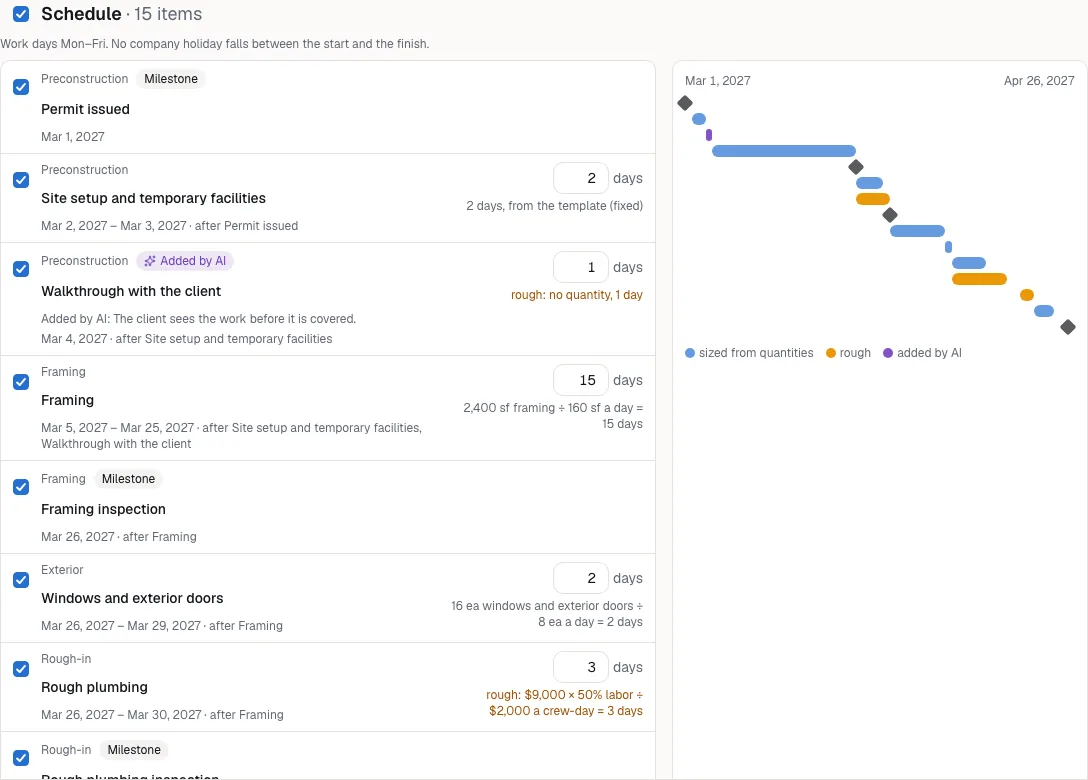
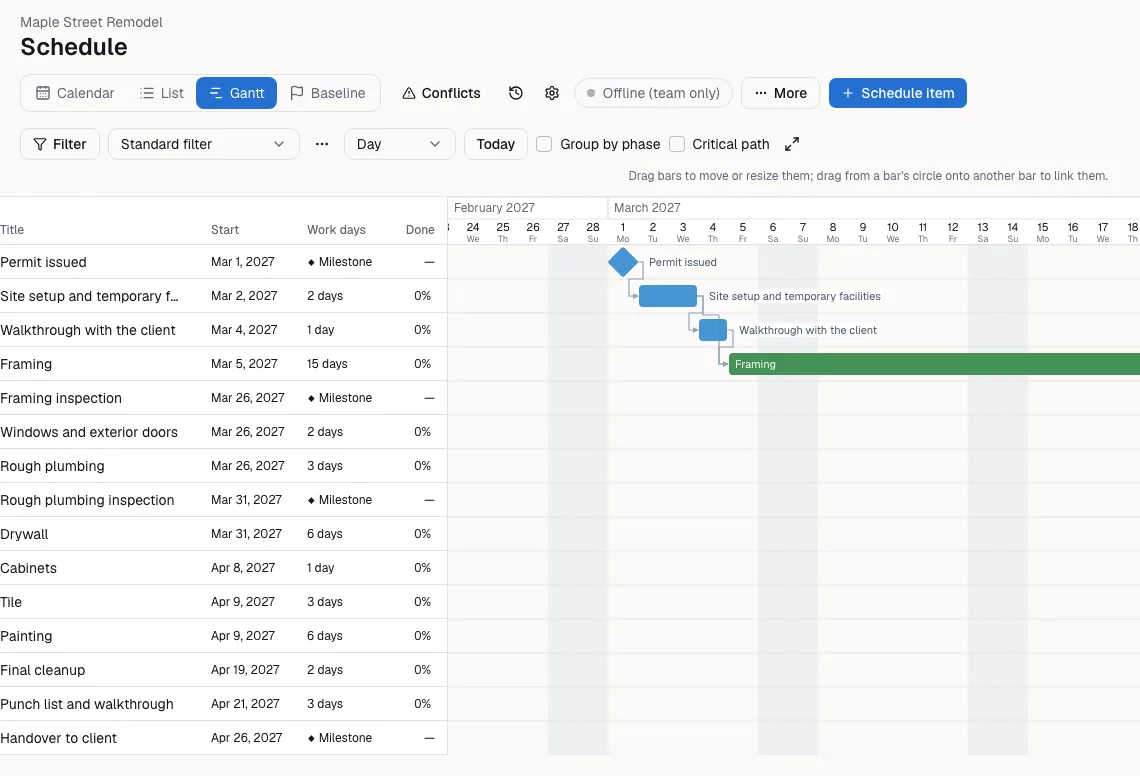
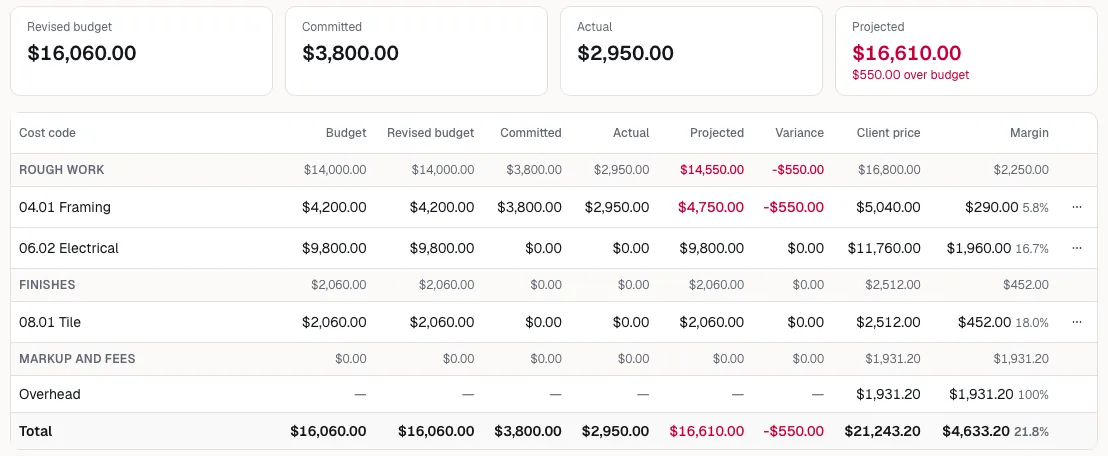
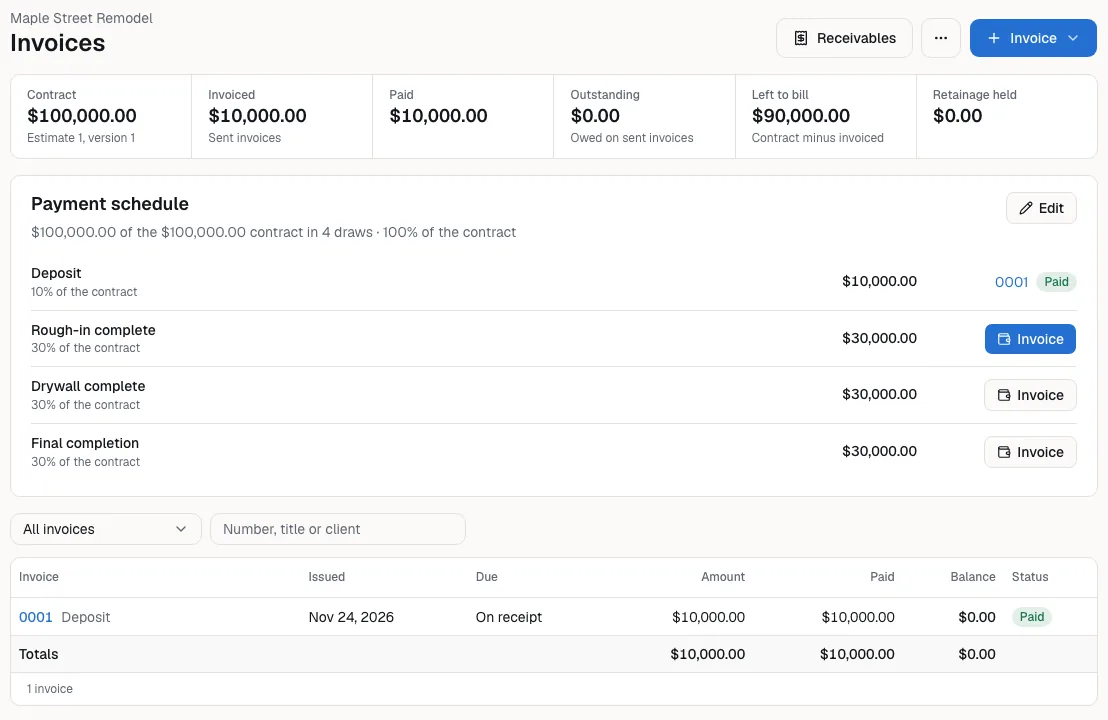
Screens from a sample job.
Everything you need to run the job
Everything below works today for beta contractors.
Your estimate, already in
The job starts from your Vereyo estimate. No retyping.
AI job setup
Drafts the schedule, tasks and questions from the estimate. You review every line before it's added.
Schedule
Gantt, calendar and list. Set a baseline, see conflicts, and share a link with your subs.
Tasks and RFIs
Assign it, date it, talk it through. Send a question and see who owes the answer.
Documents and photos
Mark up a plan or a photo, sign a PDF, and sort site photos into albums.
Proposals
Send the estimate as a proposal your client signs online.
Change orders
Price the change and get the client's approval on the record.
Job costs
Budget against actual, with purchase orders and bills.
Invoices and sub insurance
Bill your client from the contract, and keep each sub's insurance on file.
From plans to a running job in three steps
AI sets the job up. You check it, then run it.
Start from your estimate
The job opens with your Vereyo estimate already in it. Nothing to retype.
AI sets up the job
It drafts the schedule, tasks, order dates and questions for the architect. You review every line, then add it with one click.
Run the job
Share the schedule with your subs, send proposals and change orders for signature, track costs and bill your client.
One project, from plans to payment
The suite works off the same project as your takeoff and estimate. The plans you uploaded to price the job are the plans your team builds from, and nobody types the job into a second system.
On a phone
Every part works on a phone, in the truck or on site.
No account for clients or subs
Clients and subs open the link you send them. They don't sign up for anything.
Only what you use
Turn on the full suite, or a lighter version with only the parts you need. Each company sets its own.
Questions, answered
What builders ask before they run a job on it. Don't see yours? Ask for beta access and we'll walk you through it.
Ask for beta accessWhat is Vereyo's AI project management?
It is the software you run the job on after the estimate. AI sets the job up for you, then you manage it in one place.
- Schedule, tasks and RFIs.
- Documents and site photos.
- Proposals and change orders your client signs online.
- Job costs, purchase orders, bills and client invoices.
How does the AI build my schedule?
It reads the lines of your estimate, sorts them into phases, puts the phases in order and works out how many days each one takes from the quantities. It also drafts a setup checklist, order-by dates and questions to send the architect.
Do I have to accept what the AI drafts?
No. You see every line before anything is added to the job, with where its number of days came from. Change it, drop it, or add it as it is. One click adds what you kept, and one Undo takes it back out.
Do I need a Vereyo takeoff first?
No. A job with a Vereyo estimate gets the most out of AI setup, because the schedule is built from your own quantities. Without one, you can start from your own schedule template or ours.
Do my clients and subs need an account?
No. You send a link. A client opens a proposal, a change order or an invoice and signs it right there. A sub opens the schedule or a purchase order the same way. Nobody signs up for anything.
3 more questions
Does it work on a phone?
Yes. Every part works on a phone, in the truck or on site.
Do I have to use all of it?
No. Each company turns on the parts it uses. Run the full set, or a lighter version with only the schedule and tasks.
How do I get it?
It is in beta with invited contractors, and opening to more builders soon. Ask for beta access on this page and tell us which part of the job you would run on it first.
Ask for beta access
The beta is open to invited contractors, and we're adding more builders soon. Leave your details and we'll be in touch.